Inside the 63-Tool MCP Server I Built for Creative AI
Most AI tools stop at generation. They hand you a raw artifact—an image, a text snippet, or a video clip—and expect you to take it from there. But what happens when you want an agent to not just generate, but execute?
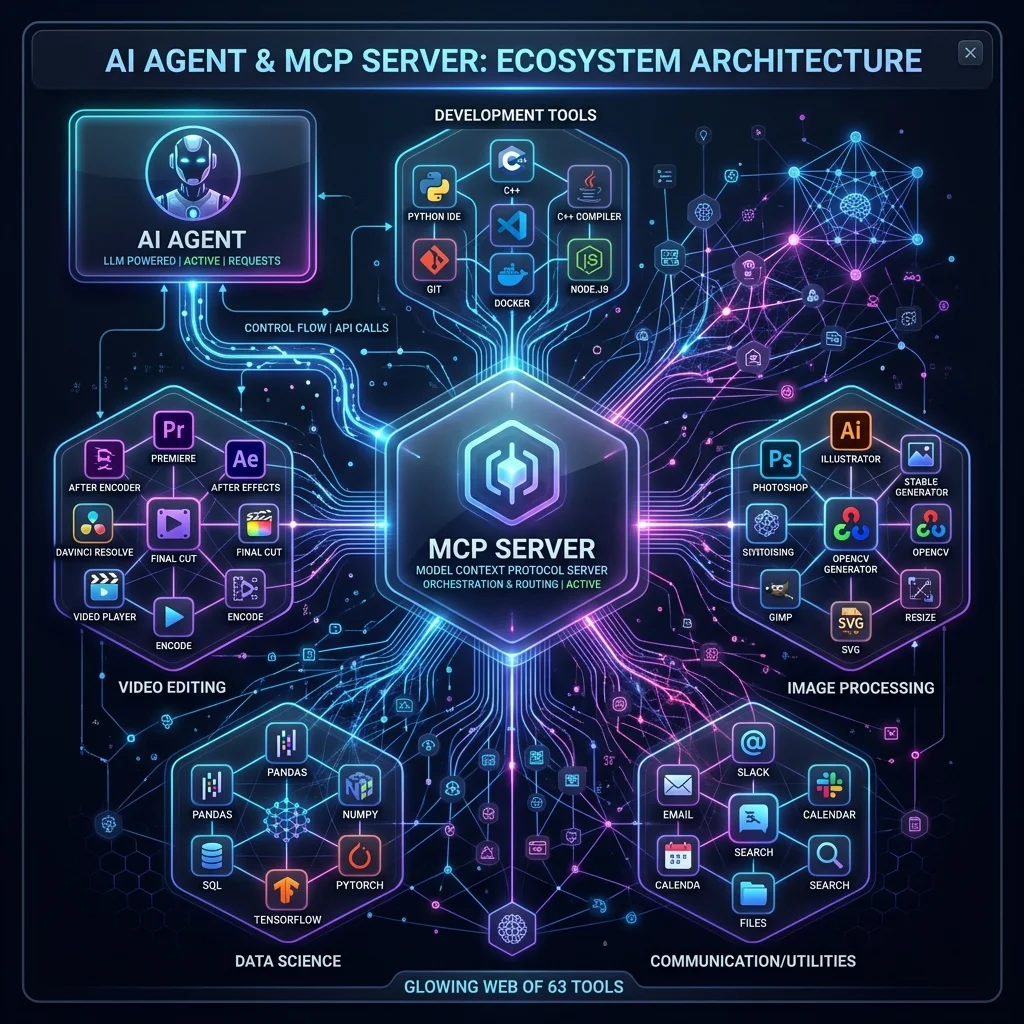
To bridge this gap, I designed and deployed a comprehensive Model Context Protocol (MCP) server that exposes exactly 63 deterministic tools to any connected AI agent. This isn't a prompt wrapper; it’s an execution engine that turns language models into autonomous systems engineers.
Why 63 Tools?
You might wonder why an agent needs 63 separate tools when a model like Claude or Gemini can write code on the fly. The answer lies in determinism and safety.
When an AI writes a one-off Python script to composite a video, you introduce points of failure at every step. Will it use the right library version? Will it handle memory leaks? Will it delete the source file?
By abstracting these operations into discrete, highly tested C++ and Python tools hosted on a local MCP server, the AI only needs to know what to call and when. The execution is guaranteed.
The Tool Categories
My server breaks down into several core capabilities:
- System & File Operations (14 Tools) Agents can navigate local directories, read metadata, and verify file hashes before and after operations.
- Non-Destructive Image Editing (18 Tools) Instead of just "generating" a new image, the agent can isolate layers, adjust HSL values, apply vector masks, and composite elements.
- Audio & Video Pipelines (22 Tools) Powered by a high-performance C++ backend, these tools allow the agent to extract audio peaks, trim clips down to the millisecond, and overlay dynamic graphics without re-encoding the entire video.
- Agent-to-Agent Communication (9 Tools) The most critical category. These tools let the primary orchestrator spin up sub-agents, delegate complex visual analysis, and wait for structured JSON responses.
Building the Orchestration Layer
The MCP server acts as a strict API gateway. When an agent requests to trim_video, the server validates the parameters against a predefined schema.
@mcp_server.tool()
def trim_video(input_path: str, output_path: str, start_ms: int, end_ms: int) -> dict:
    """
    Trims a video file deterministically using the C++ media engine.
    """
    if not validate_file_exists(input_path):
        return {"status": "error", "message": "Source file missing."}

    result = media_engine.trim(input_path, output_path, start_ms, end_ms)
    return {"status": "success", "hash": result.hash, "duration": result.duration}
This strict schema ensures the AI cannot hallucinate parameters. If it tries to pass a string instead of an integer for start_ms, the MCP server rejects the call and returns a localized error, allowing the agent to self-correct.
The Result: True Agentic Workflows
By arming an AI with 63 deterministic tools, the workflow fundamentally shifts. You no longer ask the AI to "write a script that edits a video." You ask the AI to "edit the video."
The agent researches the file, probes its metadata, determines the exact cut points, and executes the trim operation natively. It verifies the output hash and reports back. That is the difference between a chat interface and a software engineer.
In my next post, I'll dive deeper into how I bridged the Python orchestration layer with the high-performance C++ execution tools.